 A few seconds of audio. A familiar voice.
01 / Voice
Clone a voice. Or create one.
Upload or record a reference clip to clone a voice, or describe the voice you have in mind to create a new one.
Choose a voice, set the mood, and hear your words come to life.
他脸上黑而且瘦,已经不成样子;穿一件破夹袄,盘着两腿,下面垫一个蒲包,用草绳在肩上挂住;见了我,又说道,“温一碗酒。”掌柜也伸出头去,一面说,“孔乙己么?你还欠十九个钱呢!”孔乙己很颓唐的仰面答道,“这……下回还清罢。这一回是现钱,酒要好。”掌柜仍然同平常一样,笑着对他说,“孔乙己,你又偷了东西了!”但他这回却不十分分辩,单说了一句“不要取笑!”“取笑?要是不偷,怎么会打断腿?”孔乙己低声说道,“跌断,跌,跌……”他的眼色,很像恳求掌柜,不要再提。此时已经聚集了几个人,便和掌柜都笑了。我温了酒,端出去,放在门槛上。他从破衣袋里摸出四文大钱,放在我手里,见他满手是泥,原来他便用这手走来的。不一会,他喝完酒,便又在旁人的说笑声中,坐着用这手慢慢走去了。
Swipe to explore the liner notes →
DEMO Listen freely
Readings · Character performances · Voiceovers
From a greeting to a whole story
Pick a voice or reuse a familiar one
Match the delivery to your words and listen
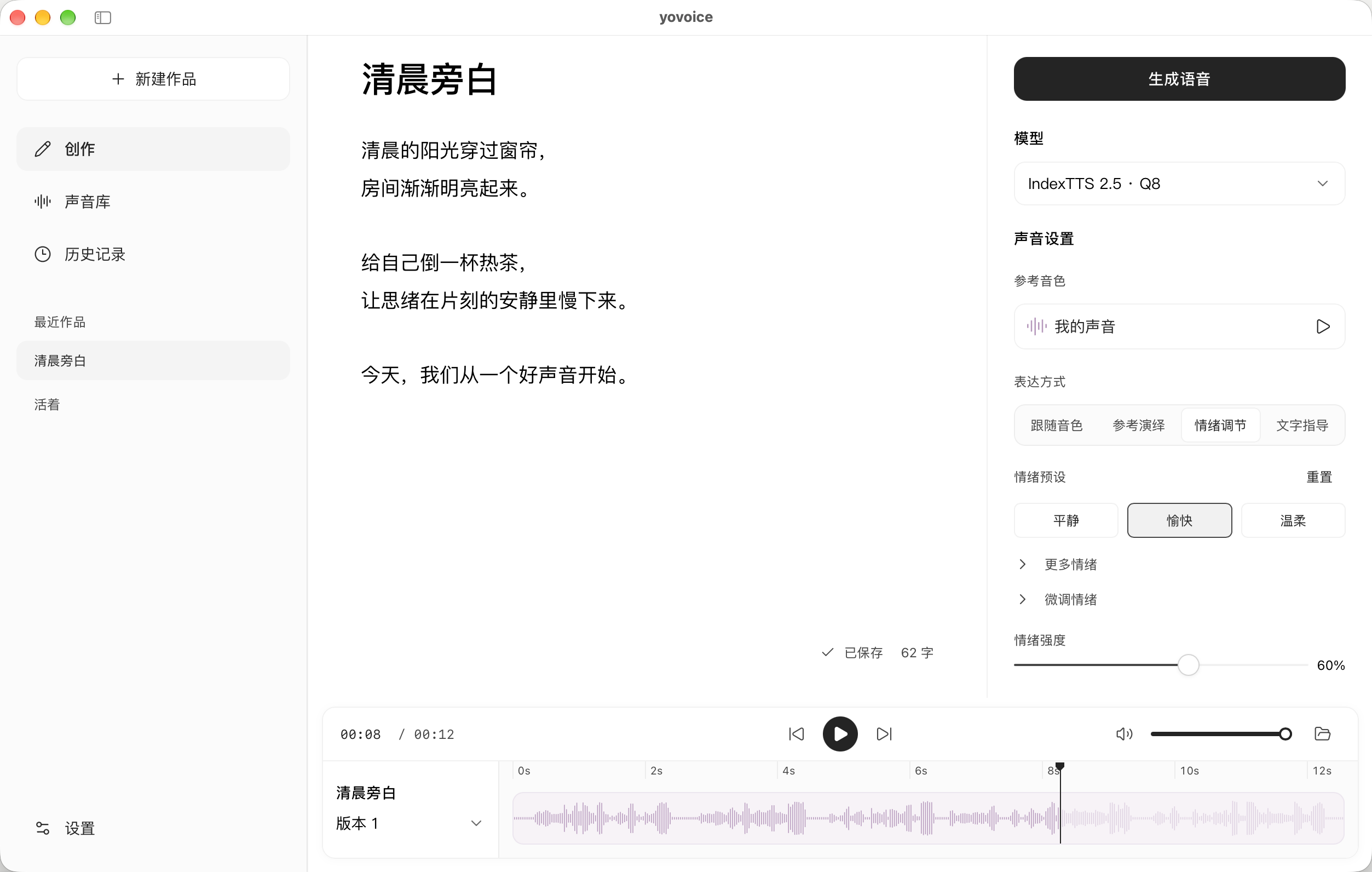 A few seconds of audio. A familiar voice.
Upload or record a reference clip to clone a voice, or describe the voice you have in mind to create a new one.
你终于来了,我等你好久了。
Bright and excited, or quiet and restrained? Guide the delivery with emotion tags, a reference recording, or a written prompt.
Available controls vary by model.
Download a model once, then generate audio locally. Your scripts and voices stay on your computer, without a cloud service.
Generate audio from terminal scripts or let an agent call yovoice. No need to open the desktop app for each task.
| Model | What it does |
|---|---|
| IndexTTS 2.0 / 2.5 | Voice cloning, emotion control, and reference-guided delivery. Version 2.5 also supports multiple languages and pronunciation adjustments. |
| VoxCPM2 | Design a voice with text, or clone one using a reference recording and its transcript. |
| OmniVoice | Voice design, voice cloning, and non-speech tags. Model weights are for non-commercial use only. |
| Qwen3-TTS | Base clones a reference voice, CustomVoice offers preset voices, and VoiceDesign creates voices from text descriptions. |
The samples were generated locally with the yovoice CLI. Each sample names the model used. The calm and happy examples share the same text and reference voice, with different emotion settings. This page plays saved audio; it does not run a model in your browser.
By default, they are stored in ~/.yovoice on your computer. Uninstalling the app does not remove this folder. Back it up when moving to another computer.
You can generate audio offline.An internet connection is needed to install the app and download models. Once a model is ready, speech synthesis runs on your computer.
Two platforms are supported:
RAM and VRAM requirements depend on the model you choose.
yovoice is licensed under Apache-2.0. Commercial use also depends on the model license and your rights to the voice:
Yes. yovoice includes a standalone CLI and an Agent Skill. Scripts and agents can generate audio from text and a reference voice without opening the desktop app.
 yovoice DESKTOP APPLICATION
Local generation · Emotion control · Voice cloning
Scan with WeChat to follow.